
SaaS vs PaaS vs IaaS explained: Key differences, use cases & how to choose the right cloud model
Confused about SaaS, PaaS and IaaS? Discover the key differences between these cloud service models and how to choose the right one for your business.
by OneAdvanced PR Press Team
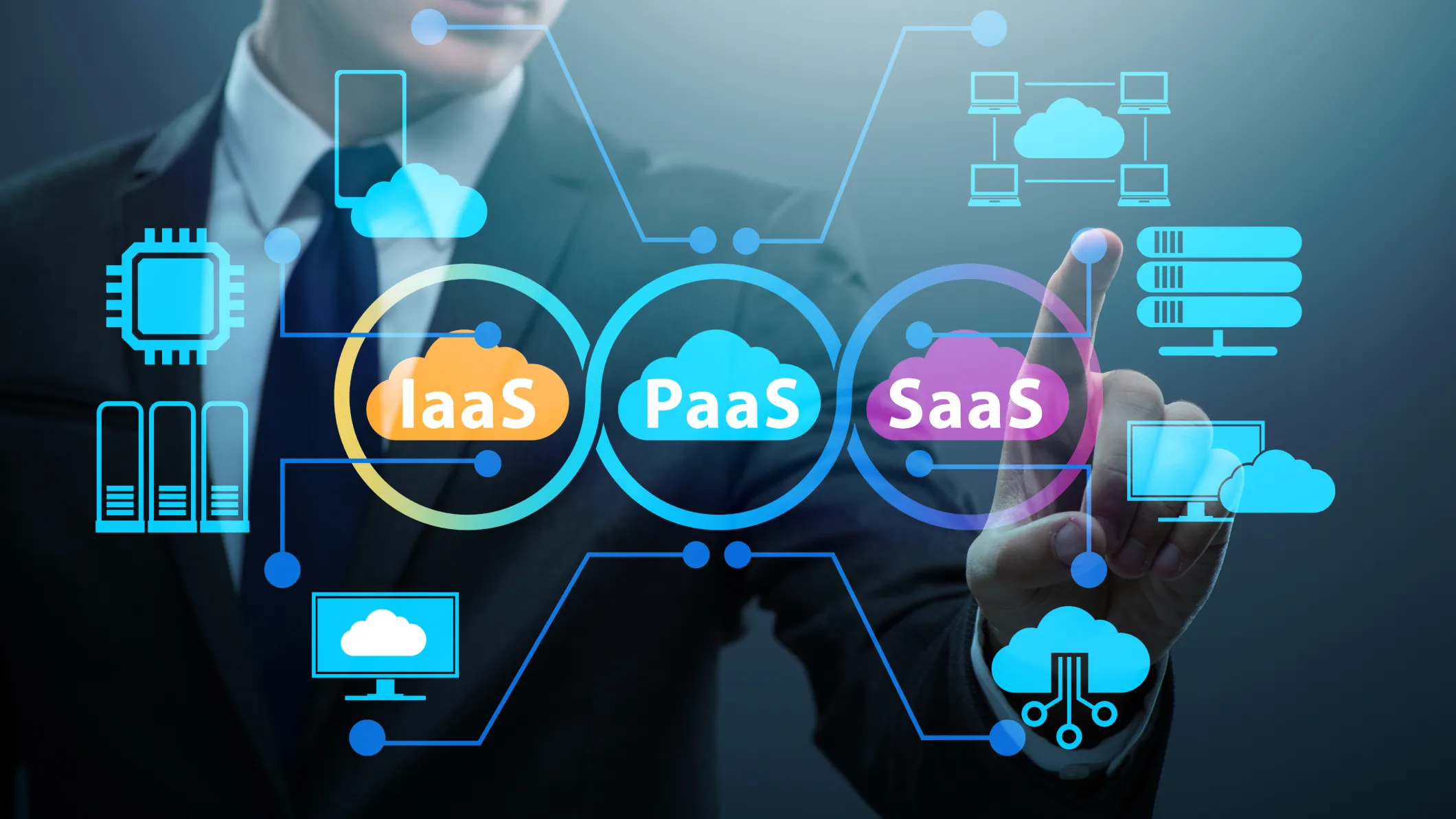
Cloud computing now underpins almost every technology decision a UK business makes, but SaaS, PaaS and IaaS get used almost interchangeably, and that confusion has a cost. Choosing the wrong cloud service model can mean overpaying for infrastructure you don't need, or under-investing in the control a growing IT team actually requires.
This guide breaks down what SaaS means in practice, the difference between SaaS, PaaS and IaaS, with real-world examples, and a practical checklist for choosing the right cloud model for your organisation.
What is cloud computing?
Cloud computing is the on-demand accessibility of IT resources (such as applications, storage, processing power) as services over the internet. Instead of investing in and maintaining physical infrastructure, organisations can access the technology whenever they need and pay only for the resources they use.
To support different business requirements, cloud services are available through three core models: Software as a Service (SaaS), Platform as a Service (PaaS) and Infrastructure as a Service (IaaS). Each offers a different balance of control, flexibility and management, allowing organisations to choose the approach that best fits their operational and strategic needs.
What is SaaS (Software as a Service)?
Software as a Service (SaaS) model that offers fully-built software applications to users over the internet, on a subscription basis, without the need to install, host or maintain any underlying infrastructure. It's the model most people interact with daily, whether they realise it or not.
Key features of SaaS
- Accessibility: Application are available for any device with an internet connection, supporting remote and hybrid teams.
- Subscription pricing: Predictable OpEx billing replaces large upfront licence fees, making budgeting far more straightforward.
- Automatic update: The vendor manages patched, upgrades, and security fixes, so your team is always on the latest version.
- Multi-tenancy: One application instance serves many customers, each with securely partitioned data.
SaaS pros and cons
- Pros: Fast to deploy, low upfront cost, easily scalable, no infrastructure management burden.
- Cons: Less control over customisation, dependency on the vendor's roadmap and uptime, and data security or residency considerations that matter under UK GDPR.
Real-world SaaS examples include Salesforce for CRM and Microsoft 365 for everyday productivity, but SaaS has moved well beyond generic tools. UK organisations in regulated sectors increasingly rely on sector-specific SaaS platforms — such as OneAdvanced's cloud financial management solutions, which brings an AI-ready private LLM to finance teams.
Read our guide on ‘how to underpins SaaS for professional services’ to dig into sector-specific detail.
|
Ready-to-use SaaS for finance teams OneAdvanced Financials is a cloud-native, AI-ready finance platform with no infrastructure to manage or large upfront costs. Get your finance team up and running in weeks. |
What is PaaS (Platform as a Service)?
Platform as a Service (PaaS) gives developers a ready-made platform, such as operating system, development tools, middleware and runtime environment, on which to build, test and deploy their own applications, without having to provision or manage the underlying servers. Think of PaaS as the canvas and palette a development team needs, rather than a finished painting.
Key features of PaaS
- Development tools: A full suite supporting the complete web application lifecycle, from coding to testing.
- CI/CD pipelines: Built-in continuous integration and deployment tooling speeds up release cycles.
- Runtime environments: Support for multiple programming languages and frameworks, so teams can experiment with configurations.
- API management: Simplifies integration across databases, workflows and third-party services.
PaaS pros and cons
- Pros: Accelerates development, supports rapid experimentation, and removes much of the infrastructure overhead associated with IaaS.
- Cons: Potential platform lock-in, a degree of operational complexity, and the need for in-house development skills.
OneAdvanced IQ is an example of a modern PaaS platform. It’s a connected, trusted, intelligent system of work built to eliminate fragmentation and streamline operations. With reusable services, APIs, data, workflow automation and AI capabilities, IQ helps organisations to unlock their full potential and perform at their best.
|
Modernise your workflows with OneAdvanced IQ. |
What is IaaS (Infrastructure as a Service)?
Infrastructure as a Service (IaaS) provides virtualised computing infrastructure (such as servers, storage and networking) over the internet on a pay-as-you-go basis, giving organisations full control over the operating systems and applications they choose to run on top of it.
Key features of IaaS
- Virtualised servers: Provision and scale compute resources on demand, without owning physical hardware.
- Scalable storage: Expand or contract storage capacity to match workload, paying only for what's used.
- Networking: Virtual networks, load balancing and firewalls configured to your requirements.
- Pay-as-you-go pricing: Consumption-based billing suited to variable or unpredictable workloads.
IaaS pros and cons
- Pros: Maximum control and customisation, high scalability, and cost-efficiency for variable workloads.
- Cons: Requires significant in-house IT expertise, and the organisation carries responsibility for OS patching, security configuration and much of the ongoing maintenance.
Real-world IaaS examples include AWS EC2, Microsoft Azure Virtual Machines, and Google Compute Engine.
SaaS vs PaaS vs IaaS: What are the differences?
Choosing the right cloud model depends on how much control, flexibility and management your organisation needs. While SaaS, PaaS and IaaS all deliver services over the cloud, they serve different business and technical requirements. These key differences can help you identify the model that best aligns with your IT strategy, budget and operational goals.
|
Feature |
SaaS |
PaaS |
IaaS |
|
Management |
Provider manages the application, infrastructure and updates |
Provider manages the platform; you manage applications and data |
Provider manages the infrastructure; you manage the operating system, applications and data |
|
Best suited for |
Business users and functional teams |
Developers and IT teams |
IT, infrastructure and operations teams |
|
Customisation |
Limited |
High |
Complete control |
|
Pricing model |
Fixed subscription (predictable OpEx) |
Subscription or consumption-based |
Pay-as-you-go (variable costs) |
|
Examples |
Salesforce, Microsoft 365, OneAdvanced Financials |
Azure App Service, Google App Engine, AWS Elastic Beanstalk |
AWS EC2, Azure Virtual Machines, Google Compute Engine |
|
Level of control |
Low |
Medium |
High |
|
Ideal use case |
Deploying ready-to-use business software quickly |
Building, testing and deploying custom applications |
Running complex workloads with maximum flexibility and infrastructure control |
Shared responsibility model: Who manages what?
One of the most common questions IT and security leaders ask when evaluating cloud services is: who is responsible for security and compliance? The shared responsibility model defines where your cloud provider's responsibilities end and yours begin.
|
Layer |
SaaS |
PaaS |
IaaS |
|
Physical infrastructure & hardware |
Provider |
Provider |
Provider |
|
Networking & virtualisation |
Provider |
Provider |
Shared |
|
Operating system & runtime |
Provider |
Provider |
Customer |
|
Applications |
Provider |
Customer |
Customer |
|
Data & access management |
Customer |
Customer |
Customer |
|
Security configuration |
Mostly provider |
Shared |
Mostly provider |
When to use SaaS, PaaS or IaaS: Use case scenarios
Choosing between SaaS, PaaS and IaaS is about selecting the model that fits your business goals, internal capabilities and level of control. The right choice depends on what you're trying to achieve, how much IT resource you have, and whether you need an out-of-the-box solution or a highly customised environment.
Choose SaaS when:
- You need software for core business functions: Finance, HR, payroll and CRM are proven use cases where SaaS provides enterprise-ready solutions without the cost and complexity of building your own.
- You need sector-specific functionality: Sectors such as healthcare, housing, education and legal benefit from SaaS solutions built around regulatory requirements and specialised workflows.
- You have limited IT resources: SaaS removes the need to manage infrastructure, updates and security, reducing the burden on internal teams.
- You need to deploy quickly: SaaS solutions can typically be implemented in weeks, helping you realise value faster than custom-built applications.
Choose PaaS when:
- Building customer or citizen-facing applications: Develop bespoke self-service portals, booking systems or digital services that aren't available as off-the-shelf software.
- Connecting multiple business systems: Use built-in APIs, middleware and integration tools to bring data and processes from different platforms into a single workflow.
- Accelerating software development: pre-configured environments, automated CI/CD pipelines and managed services enable developers to focus on writing code instead of maintaining servers.
- Rapidly testing new ideas: Quickly create, scale and retire development environments, making it easier and more cost-effective to prototype and validate new products.
Choose IaaS when:
- Migrating legacy applications: Lift and shift existing systems to the cloud without redesigning or rebuilding them from scratch.
- Supporting variable or compute-intensive workloads: Scale infrastructure on demand to handle analytics, AI processing, high-performance computing or seasonal spikes in demand.
- Meeting security, compliance or data residency requirements: Configure infrastructure to meet specific governance, regulatory and architectural needs.
- Strengthening disaster recovery and business continuity: Build scalable backup and recovery environments without the expense of maintaining a secondary physical data centre.
Cloud model adoption in the UK: Key stats & trends
Cloud adoption continues to accelerate across the UK as organisations invest in scalable, AI-ready infrastructure to support digital transformation, AI innovation, and long-term business resilience. According to Modor Intelligence, the UK cloud computing market is projected to reach $64.97 billion in 2026 and grow at a 15.86% CAGR, reaching $135.64 billion by 2031.
Of the three service models mentioned above, Software as a Service (SaaS) remains the largest segment, and is expected to reach USD 49.3 billion by 2033. Meanwhile, Platform as a Service (PaaS) is forecast to be the fastest-growing, with a 22.9% CAGR through 2031, as organisations build AI-powered applications, modernise legacy systems and accelerate software development.
In the public sector, the UK cloud market is now worth around £6.5 billion, supported by the government's Cloud First policy, which requires public bodies to consider public cloud solutions before other hosting options. Beyond enabling innovation, the technology is also strengthening cyber resilience. According to the Cyber Security Breaches Survey 2025/2026, 74% of UK businesses now use cloud services for secure data backups, highlighting the technology’s growing role in business continuity, cyber resilience and operational reliability.
How to choose the right cloud model for your organisation
Work through this checklist before selecting the right cloud provider for your organisation:
|
Consideration |
Questions to ask |
|
Technical requirements |
Do you need ready-to-use business applications, a platform to develop custom software, or complete control over your IT infrastructure? |
|
Cost model |
Are you looking for predictable monthly costs, or are you comfortable with variable, usage-based pricing? |
|
Internal expertise |
Does your team have the technical skills to build, manage and maintain cloud applications or infrastructure? |
|
Security, compliance and data residency |
Do you operate in a regulated industry with requirements around UK GDPR, data sovereignty or sector-specific compliance? |
|
Scalability and future growth |
Are you simply replacing existing software, or building digital products and services that need to scale over time? |
|
Integration and flexibility |
Will your cloud solution need to integrate with existing business systems or support a hybrid environment? |
How OneAdvanced IQ brings SaaS, platform and cloud together
OneAdvanced IQ is our connected, trusted, intelligent system of work. This single platform layer sits underneath our sector SaaS applications and unifies the cloud services, data, AI and integrations an organisation needs, so you get SaaS simplicity without losing platform-level control.
- Connected: unifies workflows, teams and data into a single system that carries business and sector context across every interaction.
- Trusted: a secure, sovereign, resilient system with 24/7 protection, enterprise-grade cyber security and sector-aligned compliance, addressing the shared responsibility questions raised earlier in this guide.
- Intelligent: AI-driven insight and automation embedded directly into the flow of work, delivering real-time insight anywhere.
Underneath those three capabilities, IQ’s Intelligent Platform layer delivers the core capabilities of PaaS and IaaS, including secure cloud infrastructure, data and AI, cybersecurity, and APIs and integrations, with the simplicity of SaaS. In other words, IQ gives you the control benefits of PaaS and IaaS, delivered with the simplicity of SaaS.
We also provide sector-focused SaaS applications, spanning critical UK verticals including healthcare, legal, education, housing, public sector, manufacturing, retail, and social care. Our healthcare solutions, legal software, education software UK and HR and people management software are all delivered as cloud-native, fully managed SaaS, built on IQ, with automatic updates, 24/7 availability, and UK data residency by design.
|
Ready to see SaaS, platform and cloud working as one system? OneAdvanced IQ combines sector-specific SaaS with secure, sovereign and scalable cloud technology, giving you enterprise-grade control without the complexity. |
About the author
OneAdvanced PR
Press Team
Our dedicated press team is committed to delivering thought leadership, insightful market analysis, and timely updates to keep you informed. We uncover trends, share expert perspectives, and provide in-depth commentary on the latest developments for the sectors that we serve. Whether it’s breaking news, comprehensive reports, or forward-thinking strategies, our goal is to provide valuable insights that inform, inspire, and help you stay ahead in a rapidly evolving landscape.
Contact our sales and support teams. We're here to help.
Speak to our expert consultants for personalised advice and recommendations or to book a demo.
Call us on
0330 343 4000Please enter your details, and our team will contact you shortly.
All fields are required
From simple case logging through to live chat, find the solution you need, faster.
Support centre